
Chapter 6 of 13
- 1Log in and find your dashboard
- 2Create your tournament
- 3Buy, upgrade or extend your plan
- 4Your control room
- 5Details, branding and registration settings
- 6Add teams and owners
- 7Player registration and payments
- 8Run the live auction
- 9Fixtures and points table
- 10Live scoring
- 11Big screens and live streaming
- 12Sponsors and reach report
- 13Staff, accounts and wrap-up
Chapter 6 · Organizers
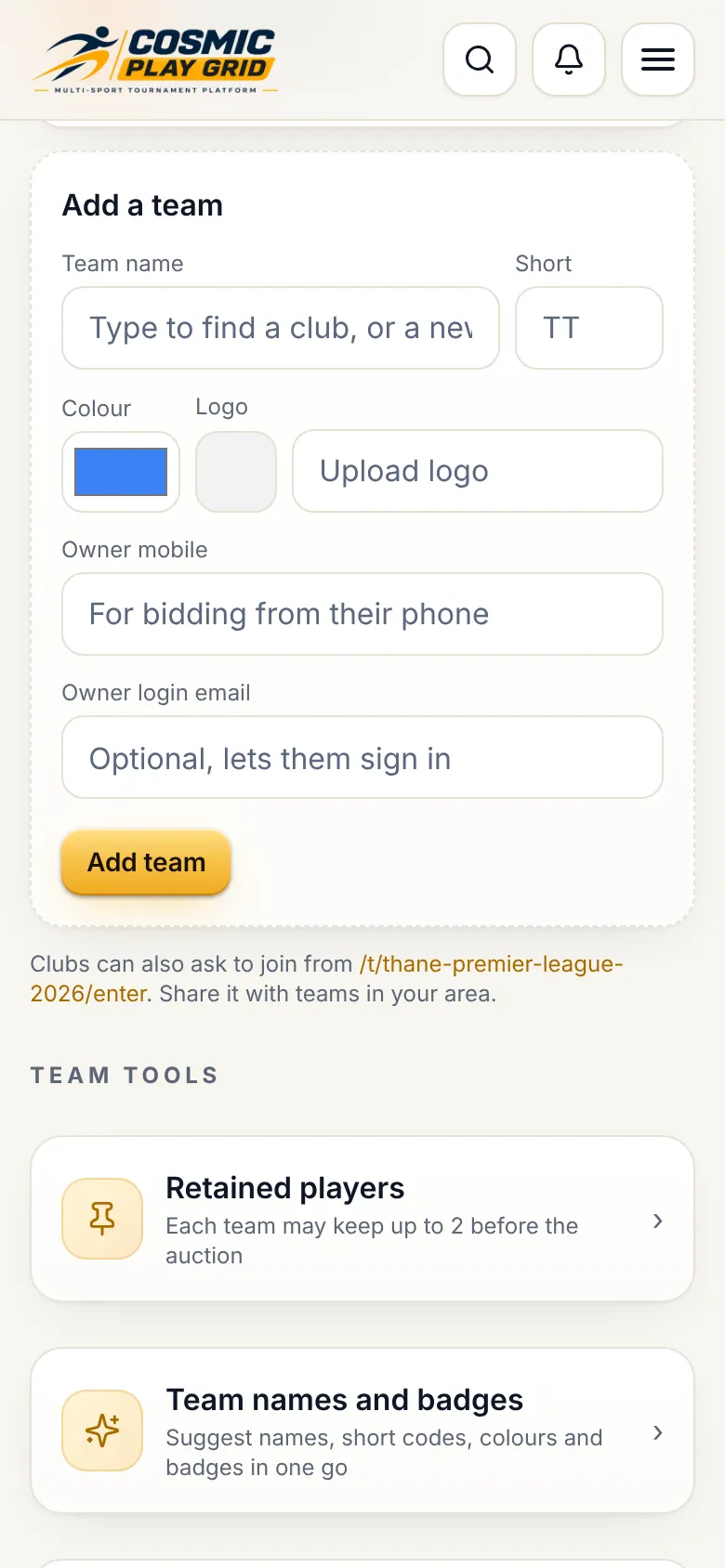
Add teams and owners
Team names, colours, logos and each owner's mobile for their private bidding paddle.
3 min read3 steps
- Step 2
Send owners their private links
Each owner gets an owner hub with a bidding paddle, squad and trade requests. On Overview, open Team owner bidding paddles and tap Send to owner: WhatsApp opens with the link ready.
Tip. Each link is private to one team. Send each owner only their own.
- Step 3
Retained players and trade window
If your rules allow retentions, pick retained players before the auction: the price comes off the team's purse. After the auction you can open a trade window and approve trades.